


























Smart Rings and Mobile Ecosystems: The Compatibility Guide for Android and iPhone
Key takeaways
· A ring can pair perfectly and still be useless to you. Pairing is layer 1 of 5.
· Android and iPhone differ most at the permission and health platform layers, not the radio layer.
· Apple Health and Health Connect are destinations, not routers. Data that arrives does not move onward by itself.
· Ecosystem lock-in is real: the Samsung Galaxy Ring requires a Samsung Galaxy phone, a Samsung account and Samsung Health.
· There is a 20-point scorecard below that takes about five minutes to run on any ring.
On this page
1. Why "does it work with my phone?" is the wrong question
2. The five-layer compatibility stack
3. Layer 1 — The radio: BLE and onboard memory
4. Layer 2 — OS permissions, where Android and iPhone diverge
5. Layer 3 — Apple Health vs Health Connect
6. Layer 4 — Accounts, subscriptions and lock-in
7. Layer 5 — Feature parity that silently differs
8. Android vs iPhone: the asymmetry, side by side
9. Ecosystem lock-in across five rings
10. The 20-point compatibility scorecard
11. Six failure modes and their fixes
12. Switching phones, two phones, and shared use
13. How the Osawalla Signature Pro fits
14. Before you buy: a seven-item checklist
15. FAQ
 Why "does it work with my phone?" is the wrong question
Two people buy the same smart ring. One gets three years of clean sleep data. The other returns it in eleven days. The hardware is identical, the phone is the same model, and the difference is never the thing the box says.
Here is what actually happens. The ring pairs flawlessly, which is what the compatibility badge promised. Then, three layers up, one toggle is off, or the operating system quietly suspends the companion app at 2 a.m., or the vendor routes your data into a hub that does not forward it anywhere. The user's report in every one of those cases is the same sentence: "my ring isn't syncing."
So the useful question is not whether a ring is compatible with your phone. It is which layers it passes, and which of those layers you are willing to manage yourself. Once you can name the layer, the fix takes about ninety seconds. Until you can, you are reinstalling an app that was never the problem.
If you are new to the category, start with what a smart ring is and the six core features of smart rings, then come back here before you spend money.
The five-layer compatibility stack
Every smart ring — Android smart ring, iPhone wearable, or anything marketed as both — has to pass through the same five layers to get a number from your finger into a chart you trust.
|
Layer |
What it governs |
Typical symptom when it fails |
Sixty-second verification |
|
1. Radio |
Bluetooth LE version, antenna design, onboard memory depth |
"Ring won't connect" or gaps after being away from the phone |
Put the phone in airplane mode for two hours, wear the ring, restore signal and see whether the gap backfills |
|
2. OS permissions |
Bluetooth grant, nearby-devices grant, background execution, battery optimisation |
Syncs while you watch, stops overnight |
iPhone: Settings → the app → Bluetooth and Background App Refresh. Android: Nearby devices on, battery optimisation off for the app |
|
3. Health platform |
Apple Health (HealthKit) on iOS, Health Connect on Android |
Data appears in the ring's app but never in Health |
Apple: Health → profile → Apps. Android: Settings → Apps → Health Connect → permissions |
|
4. Account |
Vendor account, ecosystem account, subscription gating, cloud backup |
History vanishes after a phone switch; charts grey out when a trial ends |
Ask two questions: is there an export button, and does the account hold history in the cloud or on the device only? |
|
5. Feature |
Which features exist on your specific OS — find-my-ring, AI insights, firmware rollout |
A feature shown in marketing is simply absent |
Search the vendor's support pages for "iOS" and "Android" caveats before purchase, not after |
Read the stack from the bottom up when something breaks. Roughly eight out of ten "compatibility" complaints live in layers 2 and 3, which are user-controllable settings, not hardware defects.
Layer 1 — The radio: BLE and onboard memory
Smart rings speak Bluetooth Low Energy. Per the Bluetooth SIG's technology overview, LE transmits across 40 channels in the 2.4 GHz ISM band and is built for very low power operation — which is exactly why a ring can run for days on a battery the size of a fingernail while streaming sensor data to your phone.
The consequence that matters to you: a ring has no Wi-Fi and no cellular modem. Your phone is the only gateway it has. When the phone is off, out of range, or in airplane mode, the ring does not lose data — it writes into onboard memory and dumps the backlog on reconnect. How deep that buffer is varies by model and, frustratingly, is one of the least-published numbers in the entire category.
Two practical checks before you buy:
· Confirm the BLE generation. Anything from LE 5.0 upward is fine for a ring; newer generations buy you range stability and lower idle draw rather than raw speed. The Osawalla Signature Pro is specified at BLE 5.3.
· Run the airplane-mode test in week one. Two hours offline, then reconnect. If the gap is backfilled, your buffer works. If the gap is simply missing, you now know your ring's real-world limitation instead of discovering it on a flight.
Sensor accuracy sits downstream of all this. If your decision hinges on measurement quality rather than connectivity, read how accurate smart ring heart rate monitoring is.
Layer 2 — OS permissions, where Android and iPhone diverge
This is the layer that produces the most genuine Android-versus-iPhone asymmetry, because the two operating systems solved the same problem in different years and with different defaults.
On iPhone
Pairing is a system-level event. Apple's own guidance for connecting a third-party Bluetooth accessory runs through Settings → Bluetooth, and Apple also notes that unpairing a device removes it from every device signed in to your Apple Account — so forgetting a ring on your iPhone forgets it on your iPad too. After pairing, two settings decide whether the ring keeps working: the Bluetooth grant for the companion app, and Background App Refresh. Force-closing the app every night is the single most common self-inflicted sync failure on iOS.
On Android
Android splits its Bluetooth permission model at version 12. Oura's support documentation states it plainly: on Android 11 or older you need Location enabled for Bluetooth connectivity to work, while on Android 12 or higher you need the Nearby devices permission before Bluetooth will connect (Oura Member Care). That split applies to the whole category, not one brand — it is how the OS works.
Android adds a second wrinkle iOS does not have: aggressive battery management. If the companion app is optimised, the OS may suspend its background sync while you sleep, which is precisely the window the ring cares about. The fix is to exclude the companion app from battery optimisation. There is no equivalent setting on iPhone; the iOS equivalent is leaving Background App Refresh on and not swiping the app away.
Layer 3 — Apple Health vs Health Connect
Once data is on the phone, it has to land somewhere useful. iPhone and Android give you different answers, and both require your explicit permission.
iPhone: HealthKit and the Apple Health app
HealthKit is Apple's central store for health and fitness data, and apps must receive user permission to read from or write to it (Apple Developer documentation). Permission is granted per data category, which means a ring can be "Apple Health compatible" while writing only three of the twelve things it measures.
One more iOS behaviour explains a lot of confusing step counts. Apple's Health app ranks competing sources in a fixed default order — data you entered manually, then data from iPhone, iPad and Apple Watch, then data from apps and Bluetooth devices — and lets you reorder them or switch a third-party source off entirely under Data Sources & Access (Apple Support). If you wear a ring and carry an iPhone, both are writing steps. Health picks one. Which one is your choice, not the app's.
Android: Health Connect
Health Connect is Android's equivalent hub. Google describes it as storing health and fitness data from many apps locally on the device, holding it in one place, and letting you share only selected data with other apps while reviewing which apps accessed what (Health Connect on Google Play). You reach it through Settings → Apps → Health Connect.
Two things follow. First, Health Connect is now the standard Android path — if a vendor still documents only a Google Fit integration, treat that as legacy. Second, and this is the trap that catches the most careful buyers: a hub is not a router. Data that reaches Apple Health does not automatically continue on to Strava or any other third party. We cover that failure in detail in smart ring Apple Health and Strava sync: what to check.
Layer 4 — Accounts, subscriptions and lock-in
Hardware compatibility is the easy part. The hard part is whether your data and your features survive a change of phone, a lapsed subscription, or a decision to stop using a brand.
The clearest example in the category is Samsung. On the official Galaxy Ring page, Samsung states that a Samsung account must be registered on your Samsung Galaxy smartphone to start using the ring, that health data is transferred to and stored in Samsung Cloud, that Energy Score and Wellness Tips require a compatible Galaxy AI phone plus Samsung Health, and that locating a lost ring requires the SmartThings app (Samsung US). Read that carefully: this is an Android smart ring that is not really an "any Android" ring. It is a Samsung-ecosystem product.
The other common gate is the subscription. Several rings sell hardware at a loss and charge monthly for the analysis layer. If the app is the only place your readiness score exists, then what you are really buying is a rental. We argue the case in smart ring no subscription: why it matters, with a current shortlist in best smart ring without a subscription in 2026.
Layer 5 — Feature parity that silently differs
Even when everything above works, the fifth layer decides whether the ring you bought is the ring that was advertised. These are the features most likely to be uneven across iOS and Android:
· Locating a lost ring. Samsung routes this through SmartThings. Other brands typically show a last-known Bluetooth location, which only helps if you are within range. No third-party ring currently joins Apple's Find My network.
· AI insights. The most ecosystem-dependent feature in the category. Samsung's Energy Score needs a Galaxy AI phone; other brands run their models server-side and are OS-neutral, but not all features reach both platforms on the same date.
· Firmware updates. Android rollouts are generally quicker to reach users because of staged Play delivery; App Store releases add review latency. A bug fix can land on Android a week before iPhone.
· Contactless payment. Payment rings exist as a separate niche. Do not assume a mainstream health ring can tap to pay — verify per model, because this is one of the most frequently mis-assumed smart ring features.
· Notifications and gesture control. Where offered, Android generally permits deeper app-level background control; iOS constrains background Bluetooth activity more tightly.
Android vs iPhone: the asymmetry, side by side
|
Dimension |
Android phone |
iPhone |
|
Pairing path |
Companion app requests Nearby devices (Android 12+) or Location (Android 11 and older) |
Settings → Bluetooth, or an in-app prompt; unpairing removes it from all devices on your Apple Account |
|
Bluetooth permission model |
Two different models depending on OS build |
One Bluetooth grant, plus Background App Refresh |
|
Background sync risk |
Battery optimisation or Doze can suspend the app — user must exempt it |
Risk comes from force-closing the app or disabling Background App Refresh |
|
Health destination |
Health Connect, on-device hub with per-app read/write |
Apple Health via HealthKit, per-category read/write |
|
Conflicting data sources |
Resolved at app level; the hub stores what each app writes |
Health ranks manual → iPhone/Watch → apps and Bluetooth devices, and you can reorder |
|
Firmware cadence |
Usually faster, staged Play rollout |
App Store review adds latency |
|
Second device |
Tablet support varies by vendor app |
iPad and iPhone can share Health data through iCloud if enabled |
|
Finding a lost ring |
Brand-dependent; Samsung uses SmartThings |
Brand-dependent; no Find My network access for third-party rings |
|
Data export |
Health Connect plus any vendor export |
Health app export plus any vendor export |
|
Lock-in risk |
Higher at hardware level with Samsung-brand rings |
Lower at hardware level, higher at data level if iCloud Health sync is on |
|
Most common week-one failure |
Sync stalls overnight because of battery optimisation |
One category toggle left off in Health |
|
Best suited to |
Tinkerers, mixed-brand households, Pixel and non-Samsung Android users |
Anyone who wants one authoritative health record everything else reads from |
Ecosystem lock-in across five rings
|
Ring |
Phone requirement |
iPhone |
Account / app required |
Subscription |
Switch-phone cost |
|
Osawalla Signature Pro |
Android 5.0+ / iOS 12.0+ (Osawalla published spec) |
Yes |
Da Rings app |
None |
Low — re-pair and re-enable integrations |
|
Oura Ring 4 |
iOS and Android; Oura advises running the latest OS |
Yes |
Oura account and app |
Membership required for full insights |
Medium — history tied to account, subscription continues |
|
Samsung Galaxy Ring |
Samsung Galaxy smartphone, Samsung account, Samsung Health; SmartThings for Find My Ring |
No |
Samsung account, Samsung Health, Samsung Cloud |
None |
High — effectively unusable outside the Samsung Android ecosystem |
|
RingConn Gen 2 |
iOS and Android |
Yes |
RingConn app |
None |
Low to medium |
|
Ultrahuman Ring Air |
iOS and Android |
Yes |
Ultrahuman app |
None |
Low to medium |
The only genuinely gating requirement in the group is Samsung's. Every other entry works on both platforms, which means your real decision is about accounts, subscriptions and data portability — not the phone in your pocket.
For a brand-level comparison beyond compatibility, see smart ring trends 2026: Oura vs RingConn vs Ultrahuman vs Osawalla.
The 20-point compatibility scorecard
Ten checks, weighted, twenty points. About five minutes if the vendor publishes its specifications — and intentionally unforgiving about the specifications vendors do not publish.
|
# |
Check |
Points |
Pass condition |
|
1 |
Radio generation |
2 |
Bluetooth LE 5.0 or newer is stated |
|
2 |
Onboard buffer depth |
2 |
Vendor states how many days of data the ring holds offline |
|
3 |
Minimum OS version |
2 |
Explicit Android and iOS floors are published |
|
4 |
Pairing documentation |
2 |
Steps exist for your specific OS, not just generic screenshots |
|
5 |
Background-sync guidance |
1 |
Vendor documents the battery optimisation or Background App Refresh fix |
|
6 |
Apple Health write |
3 |
Confirmed write access on iOS |
|
7 |
Health Connect write |
3 |
Confirmed write access on Android |
|
8 |
Synced category list |
2 |
The specific data types that sync are listed, not implied |
|
9 |
Subscription freedom |
2 |
Your own daily data is accessible with no recurring fee |
|
10 |
Phone-switch survival |
1 |
History survives moving to a new phone, via account or export |
Scoring bands: 17–20 buy with confidence · 13–16 acceptable with documented caveats · 12 or below expect friction you will have to solve yourself.
Worked example: Osawalla Signature Pro, scored against published specifications
Being strict here, including where it costs us points. Against the current published specification for the Signature Pro:
· Passed: BLE 5.3 stated (2), Android 5.0+ and iOS 12.0+ published (2), pairing documented through the Da Rings app (2), Apple Health write confirmed (3), synced categories listed (2), no subscription (2) — 13 points confirmed.
· Cannot claim: buffer depth (2), Health Connect write confirmation (3), documented background-sync guidance (1), phone-switch behaviour (1) — 7 points unresolved.
The honest published score is 13 of the 15 points that can be verified from published material, with the remaining points awaiting documentation rather than failing. We would rather publish that gap than round it up to twenty. If you are comparing rings with this scorecard, a vendor that cannot answer checks 2 and 7 is telling you something about how it treats documentation generally.
Six failure modes and their fixes
|
Symptom |
Layer |
Actual cause |
Fix |
|
Ring pairs, no data in Health |
3 |
One or more category toggles were never enabled |
Apple: Health → profile → Apps → the ring app, enable each category. Android: Settings → Apps → Health Connect → permissions |
|
Data stops overnight, fine during the day |
2 |
Android battery optimisation, or the iOS app was force-closed |
Exempt the companion app from optimisation; enable Background App Refresh; stop swiping the app away |
|
Step count looks doubled |
3 |
Phone and ring are both writing steps |
iPhone: Health → Data Sources & Access → reorder or disable one source. Android: let one app own steps in Health Connect |
|
Ring will not reconnect after a firmware update |
1 / 2 |
Stale Bluetooth bond |
Forget the ring in the OS Bluetooth settings, then re-pair from the companion app |
|
Workout never reaches Strava |
3 / 4 |
A health hub does not forward to third parties |
Use the app's direct Strava binding; see our sync guide |
|
History gone after switching phones |
4 |
Data lived in the old app or in iCloud only |
Export before switching; confirm the vendor stores history against your account |
Switching phones, two phones, and shared use
iPhone to Android, or the reverse. The radio layer does not care — re-pairing works. Everything above it resets: permissions are re-granted, health integrations are re-enabled, and history usually does not follow. Export from the old app first, and expect to re-authorise Apple Health or Health Connect from scratch.
Two phones. A ring maintains one active Bluetooth connection. A second phone can read the same data only if the vendor runs a cloud account that syncs across logins. Assume single-phone pairing unless multi-device support is explicitly documented.
Shared or family use. Rings are sized to a finger, so physical sharing is rare, but account sharing is common in households. Check whether the vendor supports multiple profiles on one account and whether health data can be routed to more than one phone's Health app. Most cannot.
Work-managed Android phones. If your phone is under mobile device management, Nearby devices permission and background execution may be policy-blocked. In that case no ring will work reliably, regardless of brand, and the fix is an IT request rather than a settings change.
How the Osawalla Signature Pro fits
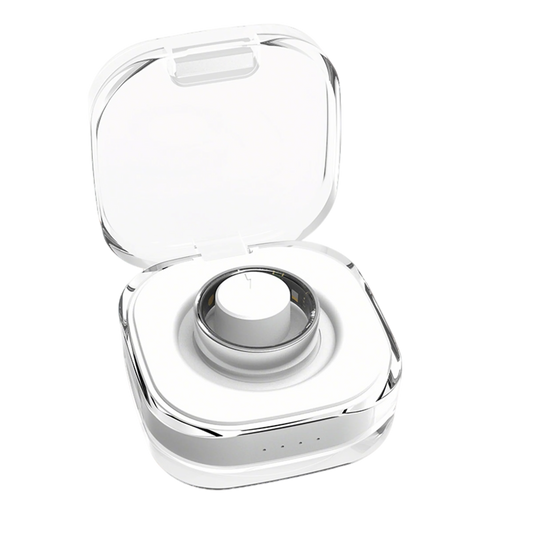
The Signature Pro was built around the argument this article makes: compatibility should not be something you pay a monthly fee to unlock, and it should not be gated to one phone brand.
· Cross-platform by specification: Android 5.0+ and iOS 12.0+, over BLE 5.3.
· One app, no subscription: the Da Rings companion app is free, and your daily data is not behind a paywall.
· Writes into both hubs: Apple Health on iPhone, with Strava available through a direct in-app binding rather than a pass-through that does not work.
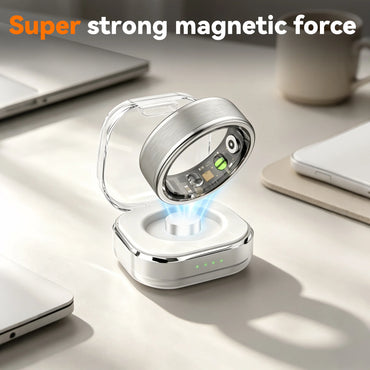
· Practical hardware: stainless steel, IP68, up to 5–7 days per charge, sizes 6–13, currently $49.99 (listed from $65.99).
Compatibility is only half the purchase. Fit decides whether you wear it at all — start with how to choose the correct smart ring size and which finger to wear a smart ring on. Then read the Signature Pro review.
Check compatibility and sizes →
Before you buy: a seven-item checklist
16. Confirm the published minimum Android and iOS versions, then check your phone's actual version in Settings.
17. Decide which hub your data must reach — Apple Health or Health Connect — and confirm the ring writes to it, not merely "syncs."
18. Ask which specific categories sync. Steps and sleep are common; HRV, SpO₂ and blood pressure frequently are not.
19. Check for ecosystem gating: a required phone brand, a required account, or a required subscription.
20. Confirm what happens to your history if you switch phones.
21. Find out whether the vendor documents the background-sync fix for your OS.
22. Score it with the 20-point scorecard and write the number down before you read the marketing again.
If you are choosing between a ring and a watch, see smart ring vs smartwatch for health and sleep tracking.
FAQ
Do smart rings work with both Android and iPhone?
Most mainstream rings connect to both over Bluetooth Low Energy. What differs is not the connection but the layers above it: the permission model, the health platform, and whether the vendor locks features to one ecosystem. Check the published minimum OS version and the app's health integration, not just the compatibility badge.
Is a smart ring an iPhone wearable or an Android accessory?
Neither, strictly. It is a cross-platform BLE accessory: on iPhone it writes into Apple Health through HealthKit with per-category permission, and on Android into Health Connect. Neither happens automatically — the app requests access and you choose what it may write.
Do I need the newest phone?
Usually not. Published minimums are conservative, often Android 5.0+ and iOS 12.0+. The practical floor is the permission model: Android 11 and older needs Location on for Bluetooth scanning, Android 12 and newer uses Nearby devices.
Can one ring be paired to two phones?
One active connection at a time. A second device reads the same data only if the vendor runs a cloud account that syncs across logins, so assume single-phone pairing unless stated otherwise.
Does a ring keep recording when my phone is not nearby?
Yes, within the limit of its onboard memory. There is no Wi-Fi or cellular radio in a ring, so data is buffered and transferred on reconnect. Buffer depth varies by model and is rarely published — worth asking.
Will my data reach Apple Health or Google Fit automatically?
No. On iPhone the app must request HealthKit write access and you enable each category. On Android the standard hub is now Health Connect; a vendor documenting only Google Fit is shipping a legacy integration. Neither hub forwards data onward automatically.
What happens if I switch from iPhone to Android?
The ring re-pairs, but history generally does not follow. Whatever is in Apple Health stays in iCloud; whatever is only in the vendor app depends on that vendor's cloud backup. Export before switching.
Do I need a subscription for a smart ring to work?
Not for the hardware to function. Some vendors gate the analysis layer behind a monthly fee, which means the data you collected is readable only while you pay. If that matters, read why no-subscription matters.
 Related reading
· 6 core features of smart rings
· Smart ring Apple Health and Strava sync: what to check
· How a smart ring tracks sleep
· Blood oxygen monitoring on a smart ring
· How wearables estimate daily burn
· Do smart glasses work with iPhone?


