


























How to Choose the Correct Smart Ring Size: A Complete Guide on How to Size a Smart Ring
Finding the right smart ring size is one of the most important steps before ordering a wearable that tracks your sleep, heart rate, activity, and more. If the ring is too tight, it becomes uncomfortable and affects circulation.
If it is too loose, sensors lose skin contact and your data becomes unreliable. In this guide, you will learn how to size a smart ring quickly at home using the Osaring sizer app, how to interpret your results, and how to pick the best fit across the full Osaring ring lineup.
Why Smart Ring Sizing Matters
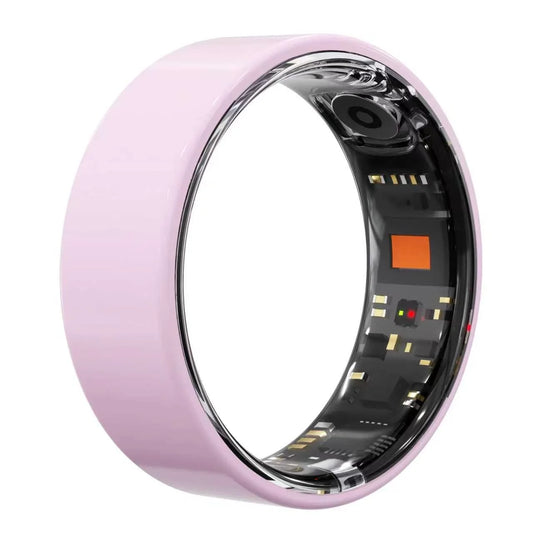
A smart ring is not just a piece of jewelry. It is a mini health lab that sits on your finger 24/7. The optical sensors on the inner surface need steady, gentle pressure against your skin to capture accurate photoplethysmography (PPG) signals. A poorly sized ring can cause:
Inaccurate heart-rate and SpO2 readings
· Sleep-stage tracking errors
· Skin irritation from a band that is too tight
· The ring spinning or slipping off during workouts
· Because most smart rings have fixed shells and cannot be resized like traditional metal
bands, choosing the correct size before you buy saves time, money, and frustration.
How the Osaring Sizer App Works
Osaring makes sizing simple with the Osaring Sizer app (also shown as "Osawalla ring sizer" in some regional builds). The app turns your smartphone camera into a digital measuring tool. Instead of wrapping a paper strip around your finger or guessing with a printable chart, you place your finger inside the on-screen guide and align it with the markers.
Osaring sizer app showing a circular ring measurement overlay with diameter and circumference readings.
The app then calculates:
· Diameter — the width of your finger across the joint in millimeters
· Circumference — the distance around your finger in millimeters
· Ring size — the standardized size number that maps to those measurements
· Both measurements are useful because diameter helps confirm that the ring will slide over · your knuckle, while circumference confirms how the band will feel at the base of your finger.
Step-by-Step: How to Size a Smart Ring at Home
Follow these steps for the most accurate measurement with the Osaring Sizer app. You can measure either hand, and many users test both hands because dominant-hand fingers are often slightly larger.
1. Prepare Your Hand
Measure at the end of the day when your fingers are at their largest. Avoid measuring right after exercise, a hot shower, or when your hands are cold. Remove any nail polish or rings from the finger you plan to measure.
2. Open the Osaring Sizer App
Launch the app and choose the Ring tab. Hold your phone steady and position your finger so that it fills the on-screen circle or rectangle guide. Make sure the finger is straight and the camera is parallel to it.
Osaring sizer app finger measurement screen with left hand and right hand selection buttons.
3. Align the Markers
The app displays arrows on both sides of a virtual ruler. Adjust your hand until the green arrows line up with the edges of your finger. This step removes the guesswork that comes with traditional string or paper methods.
Osaring sizer app showing a side-view finger measurement with green alignment arrows.
4. Select Your Hand
Tap Left Hand or Right Hand before saving the result. The app uses this information because finger volume and shape can differ between hands.
5. Review Your Measured Size
Once the measurement is complete, the app shows your ring size, diameter, and circumference. For example, a finger with a 17.15 mm diameter and 53.86 mm circumference may map to a size 7.
Osaring sizer result screen showing measured size 7 with diameter 17.15 mm and circumference 53.86 mm.

Another common result is a 20.75 mm diameter and 65.20 mm circumference, which maps closer to a size 11 or 12 depending on the brand's conversion table.
Osaring sizer result screen showing measured size 11 with diameter 20.75 mm and circumference 65.20 mm and a size-up tip.

6. Repeat and Compare
Take two or three measurements across different times of day. If your numbers are consistent, you have a reliable size. If they vary by more than half a size, use the larger measurement or contact support for guidance.
Sizing Your Left vs Right Hand
The Osaring Sizer app lets you choose Left Hand or Right Hand for every measurement. This matters because most people's dominant hand is slightly larger than their non-dominant hand. For example, if you are right-handed, your right ring finger may measure half a size larger than your left ring finger.
You can wear an Osaring smart ring on whichever finger and hand feel most comfortable and give the best sensor contact. Many users choose the index finger, middle finger, or ring finger. Just make sure the finger you measure is the one you plan to wear the ring on, because each finger has a different size.
Reading Your Measurement: Diameter, Circumference, and Ring Size
When you finish measuring, the Osaring app gives you three numbers. Here is what each one means:
Diameter — the straight-line distance across the inside of the ring that would fit your finger. Smart ring brands publish size charts that list diameter in millimeters.
Circumference — the distance around your finger. This is the value you would get if you wrapped a flexible tape around the base of your finger.
Ring Size — the standardized number that corresponds to your diameter and circumference. Osaring uses a US-style numeric scale for the RP01, RP02, and RP03.
If you ever compare your Osaring measurement with a traditional jeweler's sizing, keep in mind that smart rings are usually wider and less flexible than fashion rings. A slightly snugger fit is often better for sensor accuracy, as long as it is not uncomfortable. The Gemological Institute of America explains that proper fit means the ring can slide over the knuckle and rest securely at the base of the finger [1].
RP01, RP02, and RP03 Size & Fit Guide
Osaring offers three smart ring models, and each is available in the same full size range. Here is a quick look at how sizing applies to each one.
RP01
The RP01 is a slim, lightweight smart ring designed for everyday wear. Its narrow band makes it a good choice for users who are between sizes or who prefer a barely-there feel. If your measurement falls exactly on a half size, choose the larger size for the RP01 so the sensors stay in contact without pinching.

RP02
The RP02 adds a slightly wider sensor band for enhanced PPG accuracy. Because the inner surface is a little broader, the fit feels more secure. Users with larger knuckles often prefer the RP02 because the wider band distributes pressure more evenly across the finger.

RP03
The RP03 is the premium option in the lineup, with a titanium or ceramic shell and a full suite of health sensors. Its finish is smooth and hypoallergenic, but the shell is rigid. For the RP03, an exact size is especially important, because the material cannot be stretched or resized after purchase.

No matter which model you choose, always cross-reference your Osaring Sizer result with the size chart on the product page before adding the ring to your cart.
When to Size Up or Down
The Osaring Sizer app includes a helpful "Why size up?" reminder. It recommends sizing up when:
Your knuckle is noticeably larger than the base of your finger
You measure late in the evening when fingers are swollen
You plan to wear the ring during intense exercise or in hot climates
Your measurement falls between two sizes
On the other hand, size down if:
The ring feels loose and spins freely on your finger
You measured first thing in the morning when fingers are slimmer
You plan to wear the ring on a finger that is naturally smaller, such as a pinky
When in doubt, choose the larger half size. It is much easier to add a thin comfort insert or wear the ring on a different finger than it is to deal with a ring that is too tight.
Physical Ring Sizer: When to Order One
The Osaring Sizer app is accurate for most users, but some people still prefer a physical reference. If you are unsure about your camera measurement, or if you are buying the ring as a gift, you can order an Osaring physical ring sizer kit. The kit includes plastic or metal sizing rings in every available size. You can try each one on the intended finger to find the most comfortable and secure fit.
A physical sizer is especially useful if:
Your fingers taper sharply from knuckle to base
You have arthritis or joint swelling
You want to double-check app results before ordering
You are ordering multiple rings for a team or family
Using both the app and a physical sizer gives you the highest confidence in your final choice. For additional context, Cartier's official ring sizing guide also notes that measuring at different times of day and in different temperatures improves accuracy [2].
Common Sizing Mistakes to Avoid
Even with a great app, a few common errors can throw off your measurement. Avoid these pitfalls:
Measuring only once. Finger size changes throughout the day. Take at least two or three readings.
Ignoring the knuckle. If the ring cannot slide over your knuckle, it will not fit, no matter how accurate the base measurement is.
Using a stretched string or damp paper strip. These household methods can easily add or subtract a millimeter, which is enough to change your ring size by a full number.
Forgetting hand dominance. Your dominant hand is usually larger, so measure the hand you will wear the ring on.
Choosing aesthetics over fit. A smaller ring may look sleek, but it will not track your health data accurately if the sensors are not touching your skin correctly.
Frequently Asked Questions
Can I measure my smart ring size with a string or paper strip?
Yes, but it is less accurate than the Osaring Sizer app or a physical ring sizer. String can stretch, paper can crease, and both methods rely on you to measure the length correctly with a flat ruler. For the best results, use the Osaring app and confirm with a physical sizer if needed.
Is my ring size the same on both hands?
Usually not. Your dominant hand is often slightly larger because the muscles and tendons are more developed. Always measure the specific hand and finger you plan to wear the smart ring on.
What if I'm between two smart ring sizes?
Choose the larger size. A ring that is slightly too loose can often be made more secure with a small sizing aid or by switching fingers, but a ring that is too tight can be uncomfortable and reduce data accuracy.
How tight should a smart ring feel?
A smart ring should feel snug but not restrictive. You should be able to slide it over your knuckle with gentle pressure, and it should not leave a deep indent or cause numbness. The sensors need consistent skin contact, so a little closer fit than a fashion ring is normal.
Conclusion
Learning how to size a smart ring is the first step toward reliable health tracking and all-day comfort. With the Osaring Sizer app, you can measure your finger in minutes, choose the correct hand, and get a clear diameter, circumference, and ring size. Match that result to the size chart for the RP01, RP02, or RP03, and you will be ready to order with confidence.
Still unsure? Order a physical Osaring ring sizer to test every size at home, or contact our support team with your measurements. The right fit means better data, better comfort, and a wearable you will actually want to keep on.
Ready to find your size? Download the Osaring Sizer app today and shop the full Osaring smart ring collection for your perfect match.


