


























Do Smart Rings Need a Specific Finger? How Finger Choice Affects Fit
Not necessarily. Unlike a traditional ring, a smart ring contains sensors that need consistent contact with your skin — which means smart ring finger choice affects comfort, stability and the quality of the data it collects.
So if you're wondering which finger for smart ring wear makes sense, know that there's no single best finger for smart ring use — but the index, middle or ring finger will work well for most people. The better choice depends on your finger shape, your daily activities, your comfort preferences, and how securely the ring stays in position.
A smart ring should feel natural on your hand while staying stable enough for its sensors to maintain contact with your skin. That matters even more if you plan to wear it throughout the day and overnight.
This guide explains how finger choice affects fit, sensor contact and everyday use — and how to find the finger that works best for you. If you're also choosing a size, our Smart Ring Size Guide: How to Find the Right Fit covers the physical sizing process step by step.

Why Finger Choice Affects Fit, Comfort and Data
A smart ring isn't just a smaller piece of jewelry.
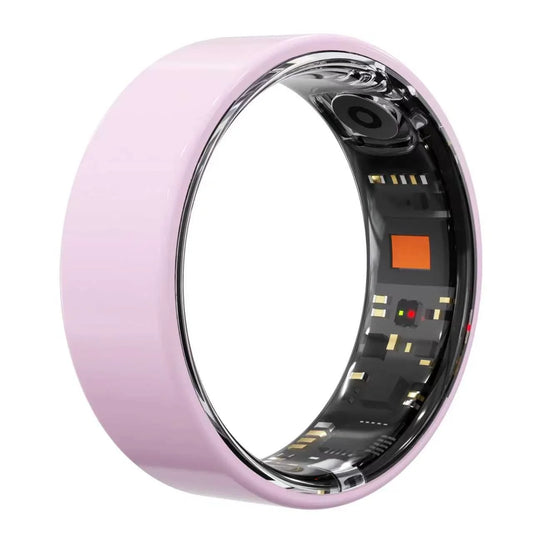
Most smart rings use optical sensors based on photoplethysmography (PPG) to pick up physiological signals. The sensor sits inside the ring, against the base of your finger, and it works by shining light into the tissue and reading what comes back.
That design creates a specific problem. Because a ring is circular and sits on a finger that bends, grips and moves all day, it can rotate. And rotation changes the geometry the sensor is measuring.
This isn't a marketing claim — it's the core engineering challenge of the category. In a 2025 sensor-design study published in Sensors, researchers building a prototype smart ring reported that "ring rotation relative to the finger alters the optical path, especially for multi-wavelength light, thus reducing accuracy." In their bench measurements, signal-to-noise ratio at the finger pulp — measured at a 5 mA LED drive current — reached a minimum of 1.95 dB, but when the sensor was rotated by just 30°, SNR fell to −7.86 dB and the waveform lost its morphological features. Doubling the LED current helped, but didn't fully compensate for the rotation.
You don't need to interpret dB values to take the practical lesson: a ring that rotates is a ring that measures less reliably. Stable placement isn't a comfort preference — it's part of how the sensor works, and it's why consistent smart ring finger placement matters more than the name of the finger you choose.
That's the whole reason finger choice matters. It isn't about finding the "correct" finger. It's about finding the finger where your ring can stay:
· Secure — it doesn't slide or spin freely
· Comfortable — no persistent pressure or irritation
· Stable — the sensor area stays in roughly the same position
· Properly positioned — the sensor stays against your skin
· Easy to wear — you can forget about it during the day
This is also why finger choice and sizing should be considered together rather than separately.
Which Finger Is Best for a Smart Ring?
Here's the honest answer: there is no single best finger for a smart ring that applies to everyone.
That's not a dodge. It's what the research actually shows. Different fingers have measurably different blood perfusion characteristics, and two well-cited studies disagree about which finger comes out on top.
A cross-sectional study of 391 healthy adults (mean age 34.9 ± 10.7 years) published in Cureus measured perfusion index — an indirect measure of peripheral blood flow derived from pulse oximetry — on every finger of both hands. Perfusion index was highest on the middle finger in both hands, with a statistically significant difference between fingers (F(9, 3900) = 15.49, p < 0.0001).
But a 2024 narrative review in the European Journal of Medical Research summarizing the same literature notes that while Swain et al. found the highest perfusion index on the middle finger, Sapra et al. recorded the maximum perfusion index on the ring finger of the right hand — and concludes that further investigation is needed to validate measurement at different sites.
Sources: Sun X. et al., "Peripheral perfusion index of pulse oximetry in adult patients: a narrative review," Eur J Med Res 29(1):457, 2024 · Sapra A. et al., "Measurement of perfusion index of all the fingers of both the hands in healthcare volunteers," J Clin Diagn Res, 2021
Two studies. Two different "best" fingers. Both in healthy adults.
Two caveats matter here. First, both studies used pulse oximeter probes rather than smart rings, so they describe finger-to-finger variation in blood flow — not the performance of any specific ring. Second, Swain et al. also reported agreement between fingers was only poor to moderate (intraclass correlation 0.474 overall, 0.368 for the right hand, 0.635 for the left). In plain terms: the same person can get noticeably different readings from different fingers.
Which is exactly why "wear it on the finger the internet says" is the wrong instruction. What matters is whether the ring stays put on your finger.
That said, three fingers are the practical starting points.

1. Index Finger
The index finger is one of the most common choices, and for good reason: it's easy to keep an eye on, it's straightforward to position a ring on, and it's the finger most often used in clinical and research settings for optical measurements.
The trade-off: your index finger does a lot of work. Typing, gripping, cooking, carrying and using tools all put it under load. If you notice the ring during those activities, another finger may suit you better.
2. Middle Finger
The middle finger is a practical middle ground. It sits centrally in the hand, which often makes it an easy finger to seat a ring on securely, and it's the finger where the largest perfusion-index study found the highest readings — for whatever that's worth for ring placement specifically.
The trade-off: anatomy varies. A size that fits your index finger perfectly may need to be a different size on your middle finger. And if you're right-handed, your middle finger still gets plenty of use. Judge the fit during real activity, not after five minutes at a desk.
3. Ring Finger
For many people the ring finger feels the most natural, because it's the finger they already associate with wearing a ring. It also tends to interfere less with fine tasks than the index finger.
The trade-off: it may already be occupied. If you wear a wedding band there, two rings on the same finger can rub, bunch or simply feel crowded. In that case the index or middle finger is usually the more comfortable everyday option.
What About the Thumb or the Pinky?
A smart ring may physically fit on either, but that doesn't make them the most practical choices.
Thumb. The thumb has a different range of motion and a different role from the other fingers — it's central to gripping and manipulating objects. Many people find a ring there intrusive during everyday tasks, and it's also an awkward finger to seat a fixed-circumference ring on comfortably.
Pinky. The pinky is typically much smaller in circumference than the index, middle and ring fingers. A ring sized for one finger usually won't fit it at all, and most smart ring size ranges simply don't extend that far down.
For most people, it makes more sense to start with the index, middle or ring finger and choose based on comfort and stability.
Does Left Hand or Right Hand Matter?
Usually the more useful question isn't left vs. right — it's how you use each hand.
If you're strongly right-handed, wearing the ring on your left hand often means it interferes less with the hand doing most of the fine work. If you're left-handed, the reverse may be true. Many people also find their non-dominant hand simply feels less "busy."
This is a preference, not a rule. And one practical note: corresponding fingers on your two hands are frequently not the same size. If you want the freedom to switch hands, it's worth checking the fit on both before you commit.
The question to ask yourself is: which hand lets the ring stay comfortable and stable during the things you actually do?
Fit Matters More Than Finding the "Perfect" Finger
This is the most important point in this article.
A well-fitting smart ring on your preferred finger is more useful than a poorly fitting one on the finger someone else recommends.
Osawalla's own sizing guidance puts it plainly: the sizing ring should feel secure, not spin freely. That single test — does it rotate on its own, or does it stay where you put it? — does more work than any finger recommendation. In practice, smart ring fit is less about hitting a target number and more about how the ring behaves on your hand over a full day.
Your ring should:
|
What to check |
What you want |
|
Movement |
Minimal unnecessary movement during normal use |
|
Rotation |
It should not constantly spin on your finger |
|
Skin contact |
The sensor area stays against your skin |
|
Comfort |
No persistent pressure, pinching or irritation |
|
Knuckle |
It passes over the knuckle with reasonable resistance |
|
Long-term wear |
Comfortable for hours, including overnight |
If you're unsure which finger will actually work, the only reliable way to find out is to test the real thing. Osawalla's Smart Ring Sizer Kit is designed for exactly that — physical sizing rings in US sizes 6–14 that you wear like the real ring, on the exact finger you plan to use.
A 6-Step Fit Test You Can Run at Home
A five-minute test isn't enough, because a ring that feels perfect in the shop can feel quite different after a day of use. Work through this in order.
Step 1 — Pick two or three candidate fingers. Start with your index, middle and ring fingers. Don't decide on one finger before you've tried the others.
Step 2 — Check the baseline fit. The ring should sit securely without squeezing. You want contact, not pressure.
Step 3 — Move your hands normally. Type, grip your phone, open a jar, walk around, carry something. The ring should not need readjusting every few minutes.
Step 4 — Watch for rotation. Does the ring stay where you put it, or does it work its way around your finger? If it spins freely, either try another finger or reconsider the size.
Step 5 — Wear it for a full day, not five minutes. Osawalla's sizing guidance recommends keeping a sizing ring on for at least 24 hours before deciding — worth following, because fingers change size through the day and a morning judgement can be misleading.
Step 6 — Test it overnight. If you're buying a smart ring mainly for sleep and health tracking, overnight comfort is not a nice-to-have — it's the main use case. If the ring is uncomfortable at 3 a.m., you won't wear it.
The finger that survives all six steps is the right one for you — not the one a generic recommendation picked.
Why Sensor Placement Matters
A smart ring doesn't simply sit on your finger the way a traditional ring does. The inside of the ring carries the sensors — typically optical PPG sensors, sometimes paired with motion and temperature sensors. That surface needs to stay against skin.

Consider two situations.
Situation A — stable placement. The ring stays in roughly the same position all day. The sensor area remains against the skin. You barely notice the ring is there.
Situation B — constant rotation. The ring shifts around your finger every time you walk, type or pick something up. The sensor area keeps changing position. You're constantly adjusting it.
Only one of those is a reasonable basis for continuous tracking — and it's the same reason ring rotation shows up as a signal problem in the sensor research above.
This is why the fit guidance from manufacturers is specific rather than generic. Osawalla's Signature Pro Smart Ring uses internal sensors for health and activity tracking, and the product guidance notes that the sensors need to maintain firm skin contact and that wearing the ring too loosely can affect measurements.
If you want to go deeper on what those sensors can and can't do, our guide to smart ring heart rate accuracy covers the measurement side in detail.
Fit, Tightness and Why Your Finger Size Changes During the Day
One reason choosing a finger can be surprisingly difficult: your fingers aren't the same size all day.
Temperature, activity, hydration and time of day all affect how much fluid is in your fingers. Most people's hands are smaller in the morning and larger in the evening, or larger after exercise or in heat. That's why a ring that feels perfect at 9 a.m. can feel snug by dinner.
So if you're choosing between two fingers, test the fit across a realistic range of conditions rather than one moment — a normal morning, desk work, exercise, a meal, an evening at home, and a full night's sleep.
The right finger is the one that stays comfortable across your actual routine — not the one that felt best in a single five-minute window.
Does a Tighter Ring Give Better Data?
No — not automatically, and this is a common misunderstanding.
A smart ring needs consistent contact, but tighter does not mean better. Too tight and it becomes uncomfortable, restricts a little, and gets worse when your fingers swell later in the day. Too loose and it rotates.
The target is in between: secure contact without excessive pressure. Think of a comfortable handshake rather than a firm grip — enough contact for the sensors to work consistently, and not so much that you're aware of the ring all day.
What a Smart Ring Really Costs Over Time
Finger choice is a fit question. Cost is a different question — but it changes what "good value" means for a wearable you're meant to wear every day for years, and most guides on this topic skip it entirely. Because the difference compounds, it's worth seeing side by side.
|
Ring |
Hardware price |
Subscription |
Estimated 3-year total |
|
Osawalla Signature Pro |
$49.99 |
None |
$49.99 |
|
Oura Ring 4 |
from $349 |
$5.99/month or $69.99/year |
$559 – $709 |
|
Samsung Galaxy Ring |
$299.99 |
None |
$299.99 |
|
Ultrahuman Ring Air |
$349 |
None |
$349 |
|
RingConn Gen 2 |
from $299 |
None |
$299 |
Manufacturer list prices and published membership fees as of September 2026, for US customers. Oura's figure ranges from the entry finish to higher-tier finishes. Prices and subscription terms change — check each brand's own site before buying.
The point isn't that a cheaper ring is better. Different rings make different trade-offs, and Oura in particular has built a genuinely deep software platform that some users consider worth the recurring fee. The point is that "how much will this cost me over three years" is a fair question to ask before you decide which finger to wear it on — and that a no-subscription model keeps the cost of getting the fit right a one-time cost. If that trade-off matters to you, our breakdown of why no subscription matters for a smart ring goes through it in more detail.
What About Smart Ring Accuracy?
Finger choice is only one part of the picture. Sensor design, fit, movement, algorithms, skin contact and the measurement method all influence what a wearable reports. The rotation research above shows how placement feeds directly into signal quality, and the perfusion-index studies show that readings from different fingers genuinely differ.
At the same time, a consumer smart ring is not a medical diagnostic device. It's a trend-tracking device, and its value is in helping you see patterns over time — how your sleep, resting heart rate or recovery shift in response to what you do. Our explainer on how a smart ring tracks sleep goes into what the algorithms can and can't infer.
For that purpose, consistent wear on a stable, comfortable finger beats chasing a theoretically perfect one. A ring you wear every night will tell you more than a ring you keep taking off because it's uncomfortable. If you're weighing a ring against another form factor entirely, smart ring vs smartwatch covers where each one actually wins.
Frequently Asked Questions
Which finger is best for a smart ring?
The index, middle and ring fingers are all practical choices. There's no universal winner — perfusion studies disagree on which finger reads highest, and individual finger anatomy varies. The best option is the one where your ring fits securely, stays stable and feels comfortable enough to wear consistently.
Can I wear a smart ring on either hand?
Generally yes, provided the ring fits properly and the manufacturer's guidance allows it. Just remember that the corresponding finger on your other hand may not be the same size, so a ring that fits your left index finger may not fit your right one.
Should a smart ring be tight or loose?
It should be secure but comfortable. Too loose and it rotates, which can degrade sensor contact and signal quality. Too tight and it becomes uncomfortable during extended wear — especially as your fingers swell later in the day.
Does finger choice affect smart ring accuracy?
It can. Sensor placement and stability affect signal quality, and research on smart ring PPG sensors indicates that rotation relative to the finger alters the optical path. Studies also show that measurements taken from different fingers can differ, with only poor-to-moderate agreement between them.
Can I wear a smart ring on my ring finger?
Yes. The ring finger can be a comfortable choice, especially if you don't already wear another ring there. If you do wear a wedding band on that finger, the index or middle finger may be more comfortable.
Can I wear a smart ring on my pinky?
Some rings may physically fit, but the pinky is far less commonly used — its circumference usually differs substantially from the index, middle and ring fingers, and it may fall outside a manufacturer's supported size range. Check the supported sizes and prioritize secure, comfortable placement.
Should I wear my smart ring on my dominant hand?
Not necessarily. Some people prefer their non-dominant hand because it does less fine work and the ring is less noticeable; others prefer the dominant hand. Choose whichever gives you better comfort and stability during your normal activities.
The Simple Answer
So, which finger for a smart ring? Start with the index, middle, or ring finger — then let fit decide:
· Comfortable across a full day, not just five minutes
· Secure, without pressing into your finger
· Minimal rotation during normal movement
· Consistent sensor contact with your skin
· Suited to your daily activities and your preferred hand
There's no rule that says every smart ring must be worn on one specific finger. The best finger is the one where your ring fits securely, stays stable and feels comfortable enough that you actually wear it — which matters most for a device designed to be worn day and night.
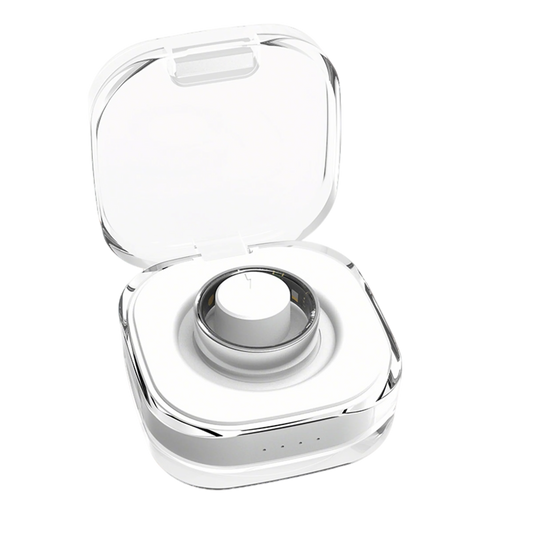
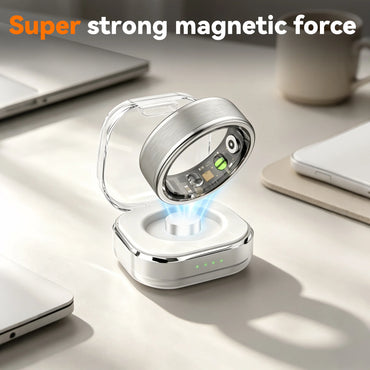
If you'd like to find that finger before committing to a ring, start with the Smart Ring Sizer Kit (US sizes 6–14). When you're ready, the Osawalla Signature Pro Smart Ring is available in US sizes 6–13, in Silver, Gold, Black, Brushed Silver, Brushed Rose Gold and Brushed Black — IP68 water-resistant, compatible with iOS and Android, and with no subscription required. A charging case is available separately if you want to top it up on the move.
Written by the Osawalla team. This guide draws on the brand's own sizing guidance for the Signature Pro Smart Ring and Smart Ring Sizer Kit, plus peer-reviewed research on ring-based PPG sensing and finger-to-finger variation in peripheral perfusion. It is general wearability information, not clinical or medical advice — a consumer smart ring is not a medical device.


