























AI Smart Glasses for Accessibility: Making Art and Everyday Life More Inclusive
By the Osawalla Editorial Team · Last updated: October 24, 2026 · 8 min read
In This Guide: A Summary Before You Read
AI smart glasses for accessibility are moving out of the lab and into real places. In October 2026, a Milan museum began lending AI glasses to blind and visually impaired visitors so they could hear spoken descriptions of eight masterpieces — no smartphone required. But the wider market is uneven: a camera, a voice assistant and open-ear speakers are not automatically an accessibility feature, and no consumer smart glasses today replace a white cane, a guide dog or a screen reader.
Here is what this guide covers:
01 — How AI smart glasses can help people experience art — how a camera, an AI service and open-ear audio turn a painting into a spoken description.
02 — Beyond museums: everyday uses for assistive smart glasses — reading text, understanding surroundings, and keeping hands free.
03 — Why open-ear audio matters for accessibility — hearing information without sealing off the room.
04 — Osawalla smart glasses — where Daily Pro, Daily Core, Chic Core, Chic Pro and Sport Pro fit, with current pricing.
05 — Osawalla vs. Meta and other smart glasses — a category comparison, plus why the Brera pilot is more than a hardware demo.
06 — What to look for when choosing smart glasses — a five-step checklist for buyers and carers.
07 — The limitations of AI glasses — where image recognition fails, and why mobility aids still come first.
08 — Designing a more inclusive future — what manufacturers should actually build next.
09 — Conclusion: making more experiences possible
10 — Frequently asked questions and sources
The short version: Osawalla smart glasses are everyday wearable technology, not certified assistive devices. Daily Pro adds AI features to an 8 MP camera; Daily Core focuses on hands-free capture; Chic Core and Chic Pro focus on open-ear audio and voice. If you need a validated visual-assistance tool, confirm the exact software capability before buying — and keep the assistive tools you already rely on.
Prices and specifications checked against Osawalla product listings on October 24, 2026. Pricing and availability change; confirm on the product page before ordering.
Introduction: Technology Should Make the World More Accessible
Art is often described as something we experience through our eyes. We stand before a painting, notice the colors, follow the lines, and interpret the emotions on a canvas. But what if experiencing art did not have to depend entirely on sight?
For people who are blind or have low vision, museums, galleries, public spaces and everyday environments can present information barriers. Traditional visual displays may communicate a great deal to a sighted visitor while leaving important details inaccessible to someone who cannot see them clearly. The World Health Organization estimates that at least 2.2 billion people worldwide live with a vision impairment — a scale that makes accessible information design a mainstream concern, not a niche one.
This is where AI smart glasses for accessibility are beginning to offer new possibilities. By combining cameras, audio, voice interaction and artificial intelligence, smart glasses can help translate certain visual information into spoken descriptions, allowing people to access information while keeping their hands free.
On October 14, 2026, Meta, the Pinacoteca di Brera in Milan and EssilorLuxottica introduced Sensing Art – Discovering Masterpieces Beyond What Meets the Eye, a museum pilot exploring how AI glasses can help blind and visually impaired visitors experience selected masterpieces through audio descriptions. The full name of the project is deliberate: the aim is not to replace looking, but to add another route to the same work of art.
This development highlights an important idea: technology should not simply add more digital features to our lives. It should help remove barriers, support independence, and make meaningful experiences accessible to more people.
At Osawalla, we believe smart eyewear should fit naturally into everyday life. Our camera glasses and audio glasses explore practical applications such as hands-free recording, open-ear audio, AI-assisted interactions on supported models, and everyday communication. Understanding both the possibilities and the current limitations of this technology can help consumers make more informed choices.
1. How AI Smart Glasses Can Help People Experience Art
A traditional museum visit often depends on visual interpretation. Visitors look at a painting, read an information panel, and decide which details deserve their attention.
For blind and low-vision visitors, audio descriptions can provide another way to understand what is in front of them. Rather than relying exclusively on visual access, visitors can listen to descriptions of a painting's composition, shapes, subjects and historical context.
AI smart glasses may make this process more convenient by bringing cameras and audio into a wearable device.
From visual details to spoken descriptions
A typical AI-assisted experience may involve several steps:
1. Identify the subject. A camera captures an image of an artwork or surrounding object.
2. Process the visual information. Compatible software or an AI service interprets the image or identifies the relevant content.
3. Deliver an audio description. The user hears information through speakers built into the glasses or another connected audio device.
4. Explore further. Where supported, the user can ask additional questions or access more detailed explanations.
The exact process depends on the device, software, internet connection and available applications. Not every pair of smart glasses can identify paintings or generate reliable descriptions independently.
In the Brera museum pilot, Meta's glasses work with the museum's existing Grande Brera app and its DescriVedendo audio-description tour. Visitors can access descriptions of eight selected artworks, including information about their visual composition and artistic context. Open-ear audio allows visitors to hear the narration while remaining aware of people and sounds around them.
Read the official Meta announcement about the Sensing Art project and the Pinacoteca di Brera's own project page.
Why detailed descriptions matter
A useful description does more than name an object. It helps a listener build a mental picture.
For example, instead of simply saying that a painting contains two people, an effective description might explain their positions, gestures, clothing, expressions and relationship to the surrounding scene.
For people with low vision, this additional context may complement the visual details they can already perceive. For blind visitors, it may provide an alternative way to explore the artwork's composition and meaning.
The goal is not to suggest that audio can perfectly reproduce visual experience. Rather, it is to offer more ways for people to engage with art according to their individual needs and preferences.
Related: How Do Smart Glasses Work? · 8 Tasks Current AI Glasses Can Actually Handle
2. Beyond Museums: Everyday Uses for Assistive Smart Glasses
Art accessibility is an inspiring example, but the potential applications of wearable AI extend well beyond galleries.
For many people with visual impairments, everyday tasks involve obtaining information that other people can access simply by looking.
Reading everyday information
Compatible camera-equipped glasses and AI applications may help users interpret printed or digital text, such as menus, signs, labels and selected documents.
A user might ask a supported AI assistant to read a menu aloud or explain information visible in front of the camera. Depending on the device and software, the system may be able to summarize text or answer questions about it.
However, accuracy can vary with lighting, text size, image quality, language and the complexity of the scene. Important information — especially medication instructions or safety-critical text — should be independently verified when possible.
Understanding unfamiliar surroundings
AI-powered visual assistance may also describe objects, identify selected items, or provide contextual information about an unfamiliar environment.
For example, a user might ask what objects are on a table or request a description of a nearby sign. These interactions can reduce the need to repeatedly pick up a phone and point its camera at an object.
Such capabilities depend on the AI service and its supported features. Camera glasses should not be assumed to detect every obstacle, recognize every object, or provide dependable navigation.
Keeping hands free
One of the most practical advantages of wearable technology is convenience.
A person may already be holding a white cane, guiding a mobility aid, carrying shopping bags, or interacting with another person. Voice commands and audio feedback can make certain tasks easier without requiring constant phone handling.
Hands-free interaction can also benefit people with limited hand mobility, as well as travelers, older adults, and anyone who prefers a less intrusive way to access information.
Nevertheless, smart glasses should complement appropriate mobility aids, accessibility tools and human assistance rather than replace them.
Related: AI Smart Glasses With Real-Time Translation · 5 Smart Glasses Offering Real-Time Translation of 100+ Languages · The 7 Best Smart Glasses for Blind People in 2026

3. Why Open-Ear Audio Matters for Accessibility
Smart glasses can deliver information through different methods, including built-in speakers, connected headphones and — in some specialized models — an in-lens display.
For accessibility-focused applications, the audio experience is particularly important.
Open-ear speakers direct sound toward the ears without sealing the ear canals. This can make spoken descriptions, calls and other audio content easier to access while preserving greater awareness of the surrounding environment than fully isolating headphones may allow.
Imagine listening to an artwork's description in a gallery while still hearing a companion speak nearby. Or listening to a translated conversation without completely disconnecting from the sounds around you.
These are useful design goals for wearable audio technology.
However, open-ear audio does not guarantee safety. Loud environments, poor audio quality, hearing differences and competing sounds can all affect comprehension. Users should adjust volume appropriately and follow venue guidance.
For accessibility, the best audio experience is not necessarily the loudest or most feature-rich. It is one that delivers understandable information comfortably, with minimal interruption to the user's chosen activity.
Related: Smart Glasses Audio Quality in Noisy Places
4. Osawalla Smart Glasses: Practical Wearable Technology for Everyday Life
Accessibility is an important way to evaluate wearable technology, but it is also necessary to distinguish between devices designed for specialized assistive functions and everyday smart glasses that provide selected useful features.
Osawalla focuses on practical smart eyewear for daily activities, including hands-free recording, audio, communication and AI-assisted functions on compatible models.
Our current lineup includes camera glasses and audio glasses designed for different everyday needs. These products are not a substitute for dedicated assistive devices, but their individual features illustrate how wearable technology can make some interactions more convenient.
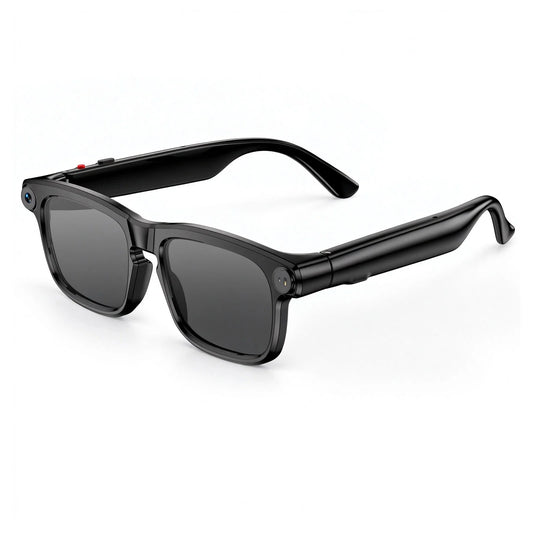
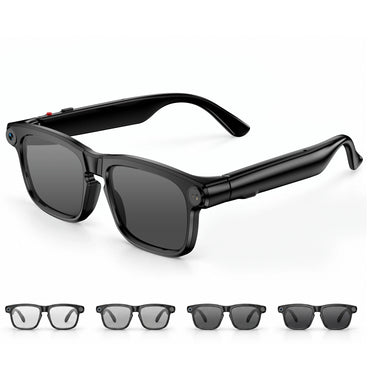
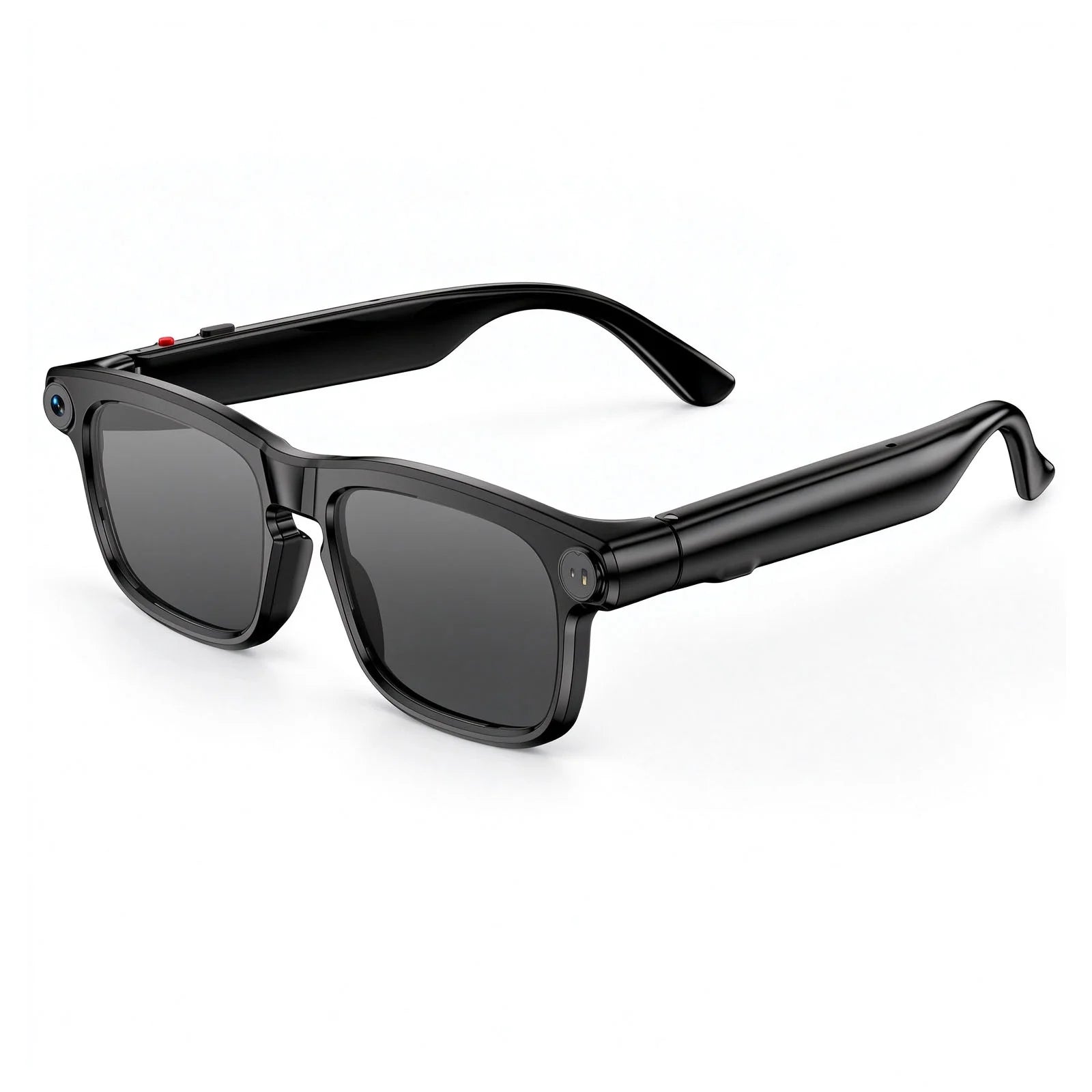
Osawalla Daily Pro Camera Glasses — $79.99
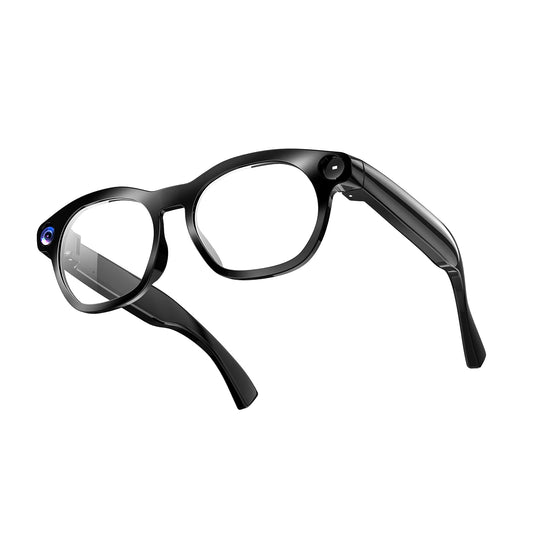
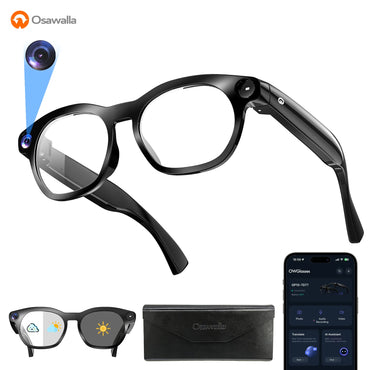
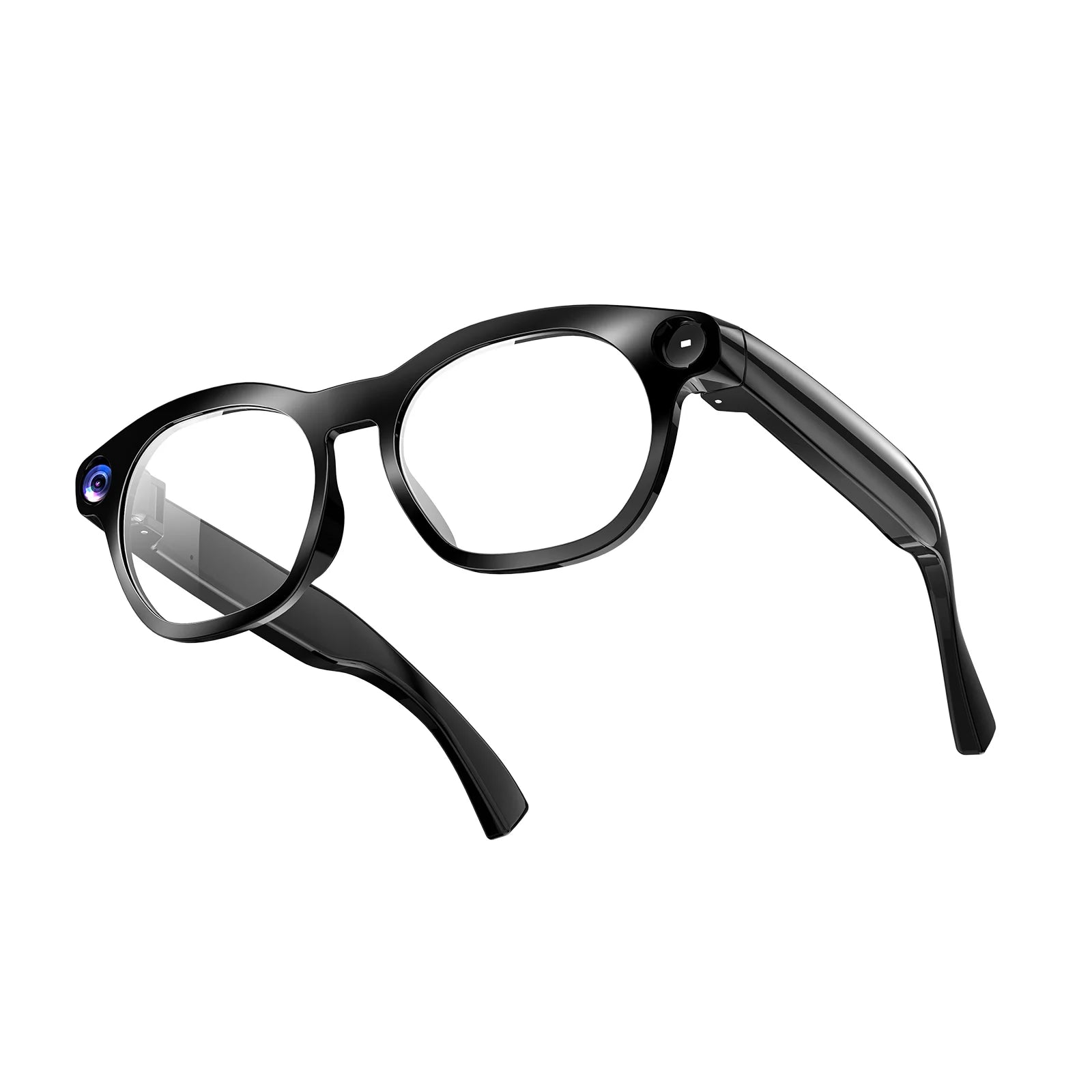
The Osawalla Daily Pro Camera Glasses are designed for everyday use, travel and hands-free content capture.
Key features include:
· An 8 MP camera with 1080p video recording.
· Bluetooth 5.4 connectivity and open-ear audio.
· AI-assisted functions including ChatGPT-powered AI, object recognition and translation in 139+ languages, as described for the supported product configuration.
· Photochromic lenses that adapt to changing light conditions.
· A 40.8 g TR90 frame with IP65 protection, designed for everyday wear.
For travelers, hands-free recording can make it easier to document a trip while keeping a phone in a pocket or bag. Supported AI features may also help users access information about their surroundings.
For someone exploring accessibility applications, it is important to understand the distinction between general AI assistance and a dedicated visual-assistance system. The Daily Pro should not be presented as a verified replacement for specialist tools that provide obstacle detection, reliable navigation, or accessibility-specific image descriptions.
Related: Daily Pro: A Complete Guide to Its Smart Features
Osawalla Daily Core Camera Glasses — $69.99
The Osawalla Daily Core Camera Glasses focus on practical hands-free photography and video recording.
Their published features include an 8 MP camera, 1080p video, image stabilization, up to 90 minutes of continuous recording, and Wi-Fi transfer.
These capabilities are useful for documenting everyday moments without holding a smartphone. They can also illustrate a broader principle behind wearable design: technology becomes more convenient when the interface fits naturally into an activity.
However, camera recording is not the same as AI-powered scene understanding. Users should not assume that the Daily Core can identify objects, read text aloud, or provide live descriptions unless those functions are explicitly supported by the relevant product and software.
Related: Smart Glasses With Camera: What to Look For · Smart Glasses Battery Life Explained
Osawalla Chic Core Smart Audio Glasses — $57.99
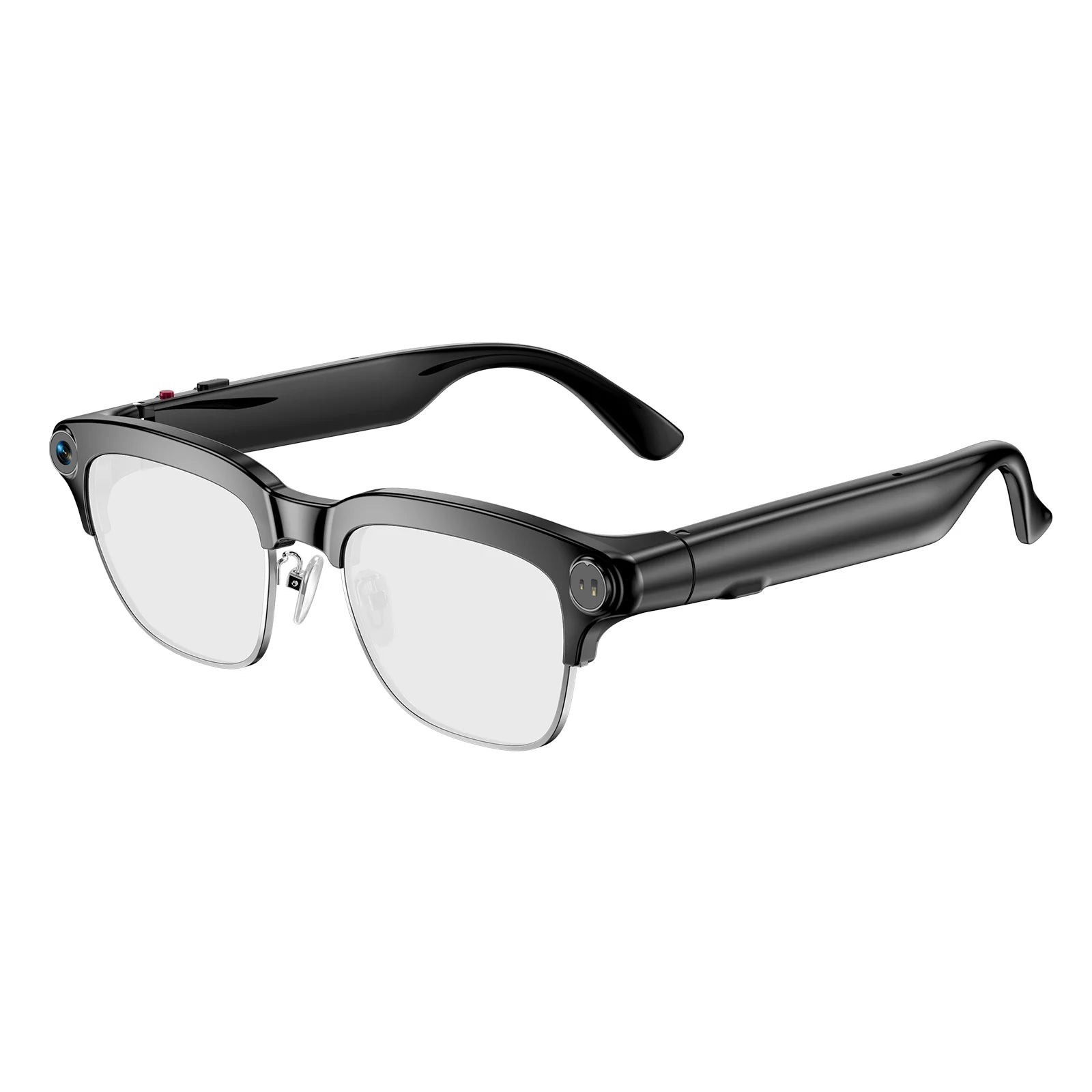
The Osawalla Chic Core Smart Audio Glasses emphasize audio and everyday convenience rather than camera-based visual interpretation.
Their published features include Bluetooth 5.4 audio, open-ear listening, one-touch calling, electrochromic tint adjustment that switches in about 0.5 seconds, a 39 g frame, and AI translation, meeting notes and voice Q&A.
For users who want to listen to audio while remaining more aware of their surroundings, this design offers a different approach to wearable technology.
The important distinction is that Chic Core's published feature list does not include a camera. Without camera-based AI vision, it cannot independently describe paintings, read printed text through image recognition, or interpret visual scenes. It is better understood as everyday audio eyewear with voice AI — not dedicated visual-assistance glasses.
Related: Do Smart Glasses Work in Bright Sunlight?
Also available
Two further models round out the range. The Chic Pro Smart Audio Glasses ($129.99) add a 12 MP camera, dual-microphone noise cancellation and up to 7 hours of music playback — the clearest choice if call clarity in noisy places matters. The Sport Pro Camera Glasses ($109.99) add stabilised 8 MP recording with polarised lenses for outdoor use.
Explore the Osawalla smart eyewear collection to review the available models and their individual features.
5. Osawalla vs. Meta and Other Smart Glasses: What Is the Difference?
The smart glasses market includes products with different purposes. Some prioritize AI interaction and accessibility-related applications; others emphasize photography, audio, translation or display-based information.
The right choice depends on what a user needs rather than on the number of features advertised.
|
Feature |
Osawalla smart glasses |
Meta AI glasses |
Display-based smart glasses |
|
Main focus |
Everyday recording, audio and selected AI features |
AI assistance, camera, communication and supported accessibility integrations |
Visual information presented through an in-lens display |
|
Hands-free recording |
Available on camera-equipped models |
Available |
Depends on model |
|
Open-ear audio |
Available on supported models |
Open-ear speakers |
Depends on model |
|
AI visual assistance |
Depends on the model and compatible software |
Supported through Meta AI and third-party integrations such as Be My Eyes |
Depends on the device and software |
|
Art-description accessibility |
Not established as a dedicated Osawalla feature |
Being explored through the Brera museum pilot |
Depends on compatible applications and services |
|
Best buying approach |
Match the specific Osawalla model to your everyday needs |
Check the exact AI features, regional availability and accessibility integrations |
Confirm display functionality, compatibility and accessibility support |
Comparison note: This table describes product categories and published capabilities rather than a controlled performance test. Features vary by model, software version, region and compatible applications. Meta's Brera announcement does not name a specific retail model, so its column reflects the product line rather than one device.
Meta's Brera initiative stands out because it combines wearable hardware with a museum's existing accessibility content and input from organizations representing blind and low-vision communities — in this case Associazione Nazionale Subvedenti (ANS), the Unione Italiana dei Ciechi e degli Ipovedenti (UICI) and the Fondazione Istituto dei Ciechi di Milano. It is not simply a demonstration of a camera recognizing a painting; it is an example of how technology, specialist descriptions and accessible cultural programming can work together.
Meta has also been extending accessibility features across its wearables more broadly, including live captions, voice-controlled calling and deeper third-party support through its May 2026 accessibility update.
Other manufacturers, including Rokid and Even Realities, explore different smart eyewear approaches, including display-based information and connected digital experiences. These products should not automatically be treated as equivalent to camera-based AI glasses or as verified assistive devices. A display is not automatically accessible either: its usefulness depends on text size, contrast and the wearer's residual vision.
For Osawalla, the useful comparison is not to claim that every model performs the same functions as Meta's glasses. It is to help customers understand which everyday features are available now and which accessibility capabilities require additional software or specialized development.
Related: Seeing the Future: How Smart Glasses Are Redefining Everyday Life · 4 Emerging Applications of Smart Glasses in 2026
6. What to Look for When Choosing Smart Glasses for Accessibility
If you are considering smart glasses for yourself, a family member, or someone with low vision, start with the task that matters most.
1. Identify the specific need
Do you want to listen to information, capture photos without using your hands, translate conversations, read text, identify objects, or navigate unfamiliar places?
Different tasks require different capabilities. A camera alone does not guarantee visual interpretation, and audio playback alone does not provide AI assistance.
2. Verify the AI functions
Check whether the product can actually perform the task you need. Look for details about supported languages, image understanding, voice commands, connectivity, app compatibility and any subscription requirements.
For essential accessibility tasks, seek independent demonstrations or user feedback from people with similar needs.
Related: Do Smart Glasses Work With iPhone?
3. Consider comfort and audio clarity
Weight, fit, battery life, frame stability and sound quality can affect how practical glasses are for extended use.
A comfortable device that delivers clear, understandable audio may be more useful than a feature-heavy device that is difficult to wear.
Related: Why Your Smart Glasses Feel Uncomfortable: 7 Design Details That Matter · How to Choose the Right Smart Glasses: Complete Guide
4. Check privacy and data handling
Camera-equipped glasses raise important questions about recording, image processing, cloud services and the privacy of people nearby.
Before purchasing, review the manufacturer's privacy policy and learn how recordings are stored, transferred and deleted. Follow local laws and respect museum, workplace and public-venue recording rules.
Related: Camera Glasses and Privacy
5. Involve the people who will use them
Accessibility features should be evaluated with the intended users, not only by product specifications.
Whenever possible, try the device in realistic conditions. Consider how easily the wearer can activate a function, understand its feedback, recover from errors, and request help when the AI cannot answer reliably.
A good accessibility experience is built around the user's needs, preferences and control.
7. The Limitations of AI Glasses for People With Visual Impairments
AI glasses offer promising possibilities, but they are not a universal solution.
Image recognition can fail. AI-generated descriptions can omit details or confidently misinterpret a scene. Poor lighting, glare, reflections, motion and crowded environments may affect performance. Some functions require an internet connection, a compatible smartphone, or an application that may not be available in every country.
Most importantly, describing an image is not the same as safely guiding a person through a physical environment.
Users should not rely on general-purpose AI glasses as their sole method of obstacle avoidance or navigation. People who need mobility assistance should continue to use suitable mobility aids, established accessibility services and professional guidance.
This is precisely why the most credible accessibility projects keep a human in the loop. Through Be My Eyes, Brera visitors can connect with sighted volunteers and trained operators for real-time orientation support during the tour. Human review is the safety net that general-purpose AI still needs.
Privacy is another essential consideration. A wearable camera may capture other people or sensitive information, so responsible use requires attention to consent, local regulations and device settings.
The goal should be to give users more options — not to suggest that technology eliminates every barrier associated with visual impairment.
Related: The 5 Limitations of AI Glasses in 2026 · 9 Best AI Glasses for Blind and Visually Impaired Users
8. Designing a More Inclusive Future for Smart Eyewear
The Brera museum pilot demonstrates that the value of AI glasses depends on more than the hardware itself.
A useful accessibility experience combines comfortable eyewear, understandable audio, appropriate software, carefully developed descriptions, and input from people who will use the technology. Partnerships with museums and accessibility organizations can help turn general-purpose devices into more meaningful tools for specific situations.
This approach also offers lessons for the broader smart eyewear industry.
Manufacturers can make products more inclusive by prioritizing clear voice interaction, straightforward controls, readable documentation, accessible companion apps and transparent privacy information. Developers can create specialized applications that connect existing hardware with the information people need.
For Osawalla, the opportunity is to continue developing practical wearable experiences while communicating clearly about the functions each product actually supports.
Whether someone wants to record a journey, listen to music, communicate across languages, or explore future AI-assisted applications, the most useful technology is the technology that serves a real need without adding unnecessary complexity.
Accessibility should not be treated as a marketing slogan. It should be approached as an ongoing design process shaped by real people, real environments and measurable improvements in usability.
Related: Smart Glasses: The Next Frontier of Wearable AI Technology · AI Glasses: The Next Big Thing
Conclusion: Making More Experiences Possible
The future of smart glasses is not only about taking better photos or adding more AI features. It is also about finding thoughtful ways to make information, culture and everyday experiences accessible to more people.
Meta's collaboration with the Pinacoteca di Brera offers a compelling example of how audio descriptions and wearable technology can create new opportunities for blind and low-vision visitors to engage with art.
Osawalla approaches smart eyewear through practical everyday functions, including hands-free camera recording, open-ear audio and selected AI-assisted features on compatible models. While these capabilities should not be confused with specialized visual-assistance systems, they form part of a wider movement toward more natural and useful wearable technology.
As the industry develops, progress should be measured not simply by what glasses can do, but by how effectively they meet people's needs.
Technology is at its best when it opens more doors, supports greater independence, and gives more people the freedom to experience the world in their own way.
Explore Osawalla smart glasses to discover wearable technology designed for everyday life.
Related: Osawalla AI Smart Glasses Review: Capture, Translate and Stay Connected

FAQ
Can AI smart glasses help blind people experience art?
Certain AI smart glasses can support audio descriptions of artworks through compatible software and accessibility services. Meta's Brera museum pilot is one example: visitors hear three audio tracks for each of eight works. The exact experience depends on the device, application and available content.
Can smart glasses read text aloud for people with low vision?
Some camera-equipped smart glasses can access text-reading features through compatible AI services or third-party applications. Not every camera-equipped model supports this function, so users should verify the exact capabilities before purchasing.
Are Osawalla smart glasses designed specifically for blind people?
No. Osawalla offers smart glasses for everyday recording, audio, communication and selected AI-assisted uses. Its current product descriptions do not establish a dedicated, validated visual-assistance system for blind users. Customers should select a model based on its verified features and their individual requirements.
What is the difference between AI glasses and audio glasses?
AI glasses may combine cameras, microphones, software and voice interaction to interpret information or assist with tasks. Audio glasses primarily provide functions such as music playback and phone calls. Some products combine both, but their capabilities vary.
Do Osawalla glasses support translation?
Daily Pro's published features include translation in 139+ languages, and Chic Core's include AI translation and voice Q&A. Support depends on the model, companion app, region and connection. Check the product listing for the exact configuration before buying.
Can AI glasses replace a white cane or guide dog?
No. General-purpose AI glasses should not replace a white cane, guide dog or other appropriate mobility aid. AI descriptions may be incomplete or incorrect, and most consumer glasses are not designed to provide dependable obstacle avoidance.
What matters most when buying smart glasses for accessibility?
Prioritize the specific task you need, verified software support, clear audio, comfort, battery life, privacy, and compatibility with existing accessibility tools. When possible, test the product with the person who will use it before making a decision.
References and Further Reading
· Meta: Sensing Art — AI Glasses and the Pinacoteca di Brera — October 14, 2026
· Pinacoteca di Brera: Sensing Art — Discovering Masterpieces Beyond What Meets the Eye — museum project page, including booking details
· Meta: Our AI Wearables Are "Changing the Game" for Disabled People — May 18, 2026
· Blindness and vision impairment — World Health Organization fact sheet
· Be My Eyes — volunteer and AI visual assistance service used in the Brera pilot
· Osawalla: What to Look for in Smart Glasses With a Camera
· Osawalla: Do Smart Glasses Work in Bright Sunlight?
· Osawalla smart eyewear collection
About This Article
Author: Osawalla Editorial Team
Last updated: October 24, 2026
Product specifications and pricing: verified against Osawalla product listings on October 24, 2026.


